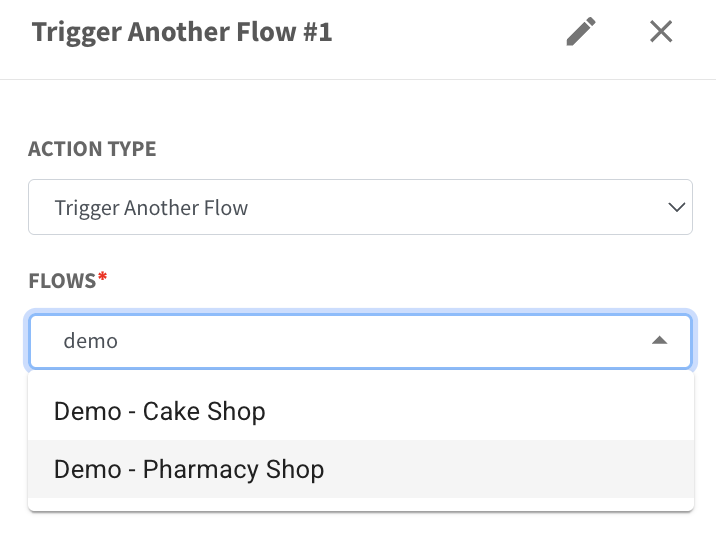
Search Flow by Typing in Trigger Another Flow 🔍
What’s New:
You can now type to search when selecting a flow in the Trigger Another Flow action. ⌨️
Instead of scrolling through a long list, you can quickly find the flow by typing its name.
What it means to you:
You can select the correct flow faster without manually searching through the list. ⚡
This makes your flow setup quicker and reduces the chance of selecting the wrong flow.
How you can go about it:
Add the Trigger Another Flow action in your flow
Click on the Flows dropdown
Type the flow name
Select the flow from the search results
Save the action
This helps you quickly find and select the flow you need.