Mark Multiple Chats as Read in One Click 📬
What’s New:
You can now mark multiple Inbox chats as read at the same time. ✔️
Instead of opening each chat one by one, you can select multiple chats and update them together.
What it means to you:
You can clear unread chats much faster without going through each conversation. ⚡
This helps you manage your Inbox more efficiently, especially when handling many messages.
How you can go about it:
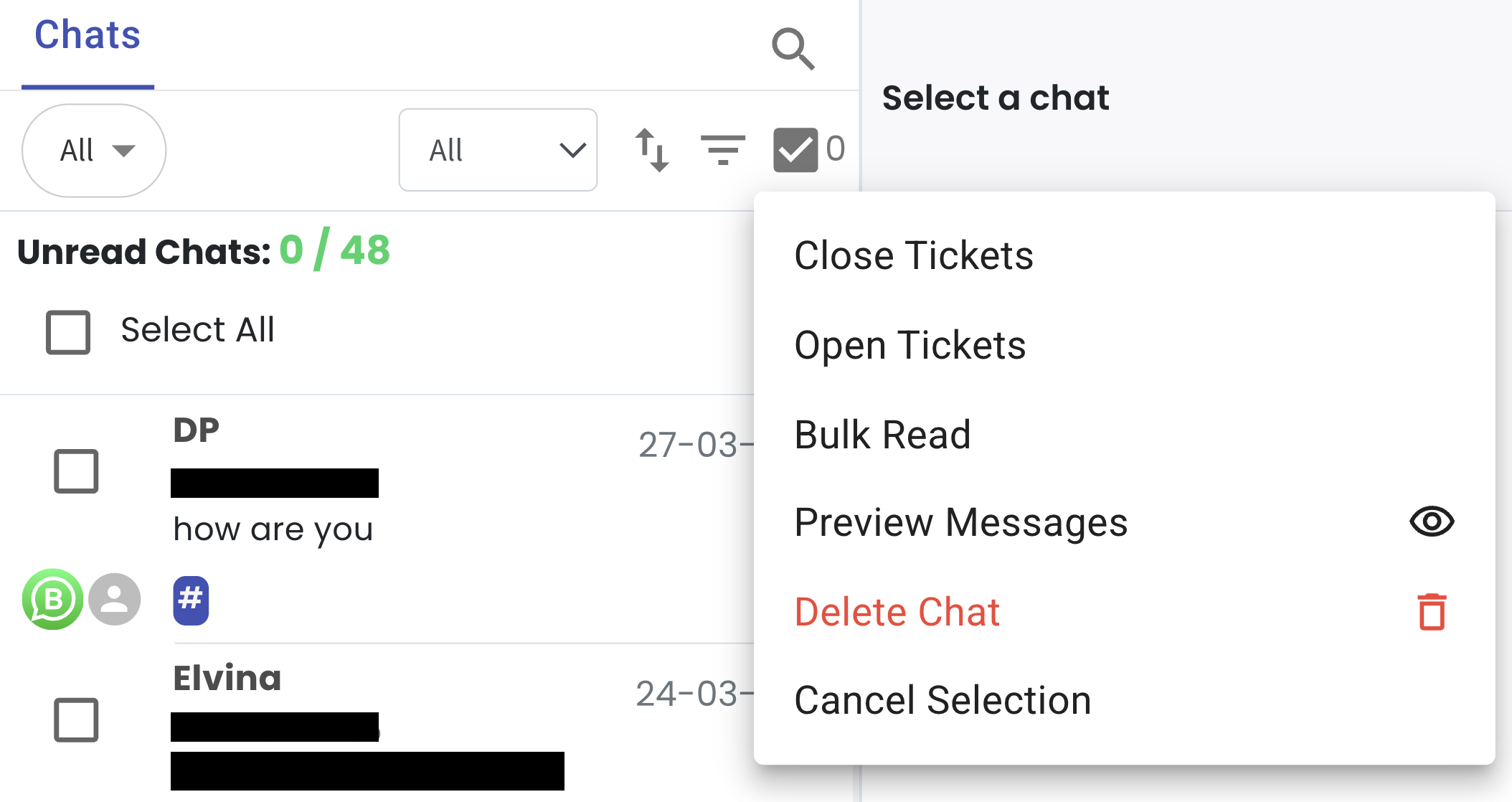
Click on the checkbox to enable selection
Select the chats you want to mark as read
Click the checkbox menu
Select Bulk Read
You can refer to this guide on how to bulk read Inbox chats: Guide