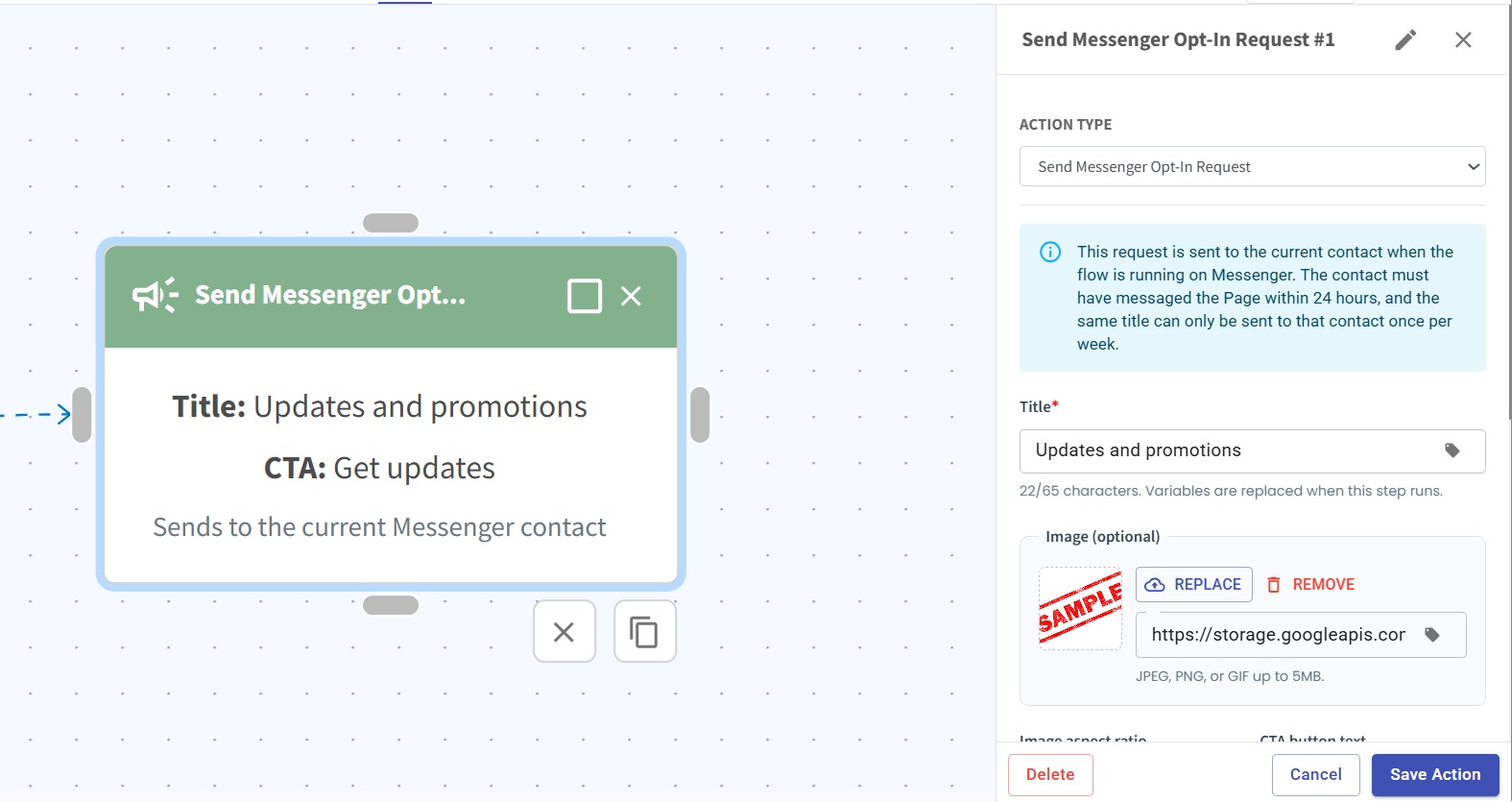
Send Messenger Opt-In Request in Flowbuilder 📩
What's New:
We’ve added a new Send Messenger Opt-In Request action to Flowbuilder. You can now send a Messenger Marketing Messages opt-in request directly as part of your flow. 📩
What it means to you:
You can now include Messenger opt-in requests naturally within your automation journey, giving you more flexibility over when and where the request is sent without having to handle it separately. ⚡
How you can go about it:
Go to the Flowbuilder module and create or edit a flow.
Add an Action node and select Send Messenger Opt-In Request as the Action Type.
Set up the opt-in request details, such as the Title, Image, and CTA button text.
Click Save Action and continue building your flow as usual. 🚀