Bulk Tagging & Ticket Assign in Inbox 🧩
What's New:
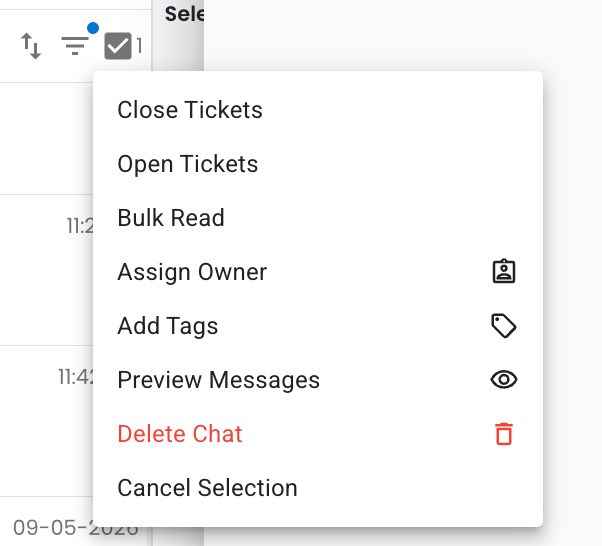
You can now perform bulk actions in Inbox — including tagging and assigning tickets — all at once 😊
What it means to you:
Save time and reduce manual work when managing large volumes of conversations.
Now you can organize and distribute tickets more efficiently with just a few clicks ✅
How you can go about it:
1. Go to your Inbox module and select multiple tickets using the checkboxes.
2. Click again on the checkboxes then click either the "Assign Owner" or "Add Tags".
3. Choose the new owner or the tags you want and click confirm or apply.
Done! All selected tickets will be updated instantly 🎉