Automate Email Campaign Enrollment with Flowbuilder 📧
What's New:
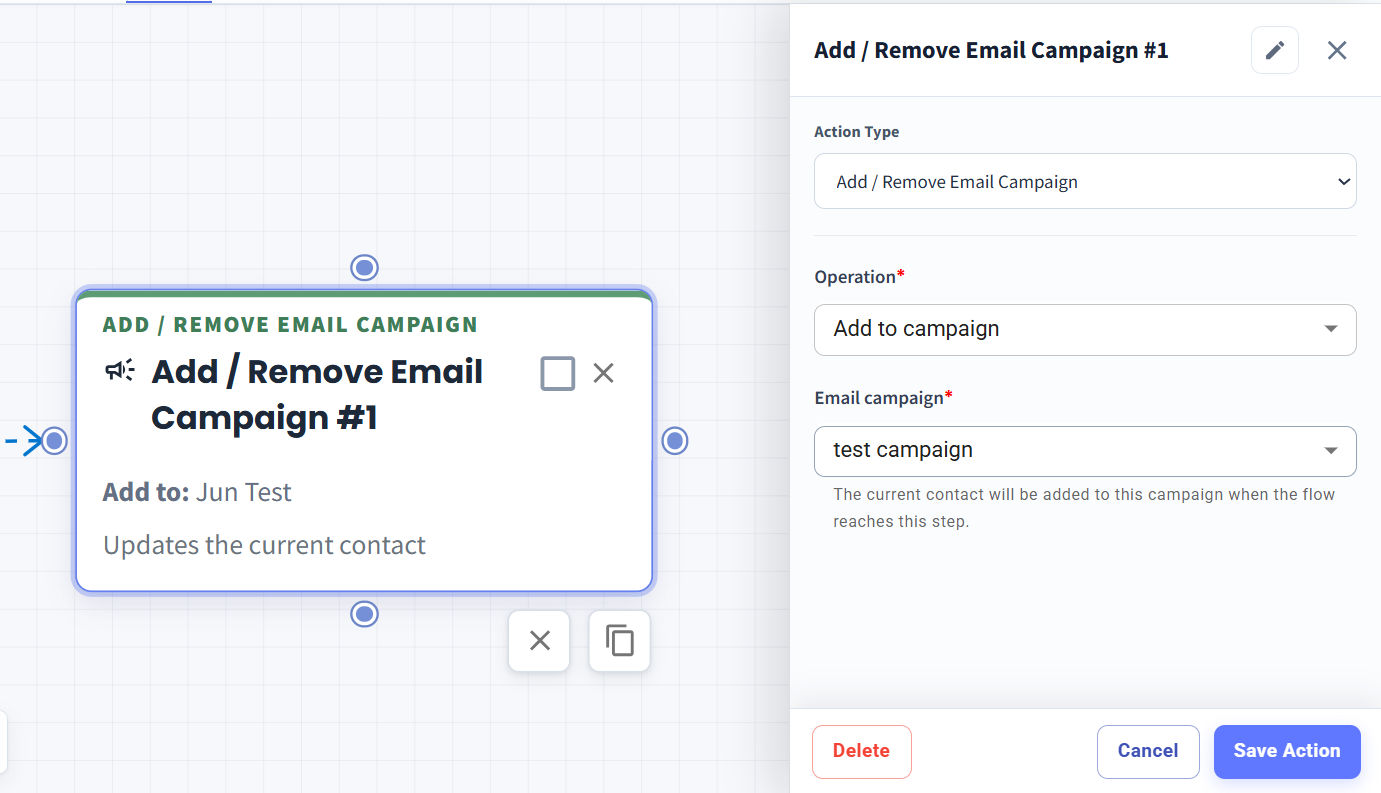
You can now use the new Add/Remove Email Campaign node in Flowbuilder to automatically add contacts to or remove contacts from an Email Campaign. No more manual enrollment needed. ✨
What it means to you:
Save time by automating your Email Campaign management. You can set your flow to automatically enrol contacts into a specific campaign when they reach the node, or remove them from a campaign when needed.
How you can go about it:
Go to the Flowbuilder Module and create or edit a flow.
Add the Add/Remove Email Campaign node.
Choose Add to campaign or Remove from campaign.
Select the Email Campaign you want to manage.
Save your flow, and you're all set! 🚀