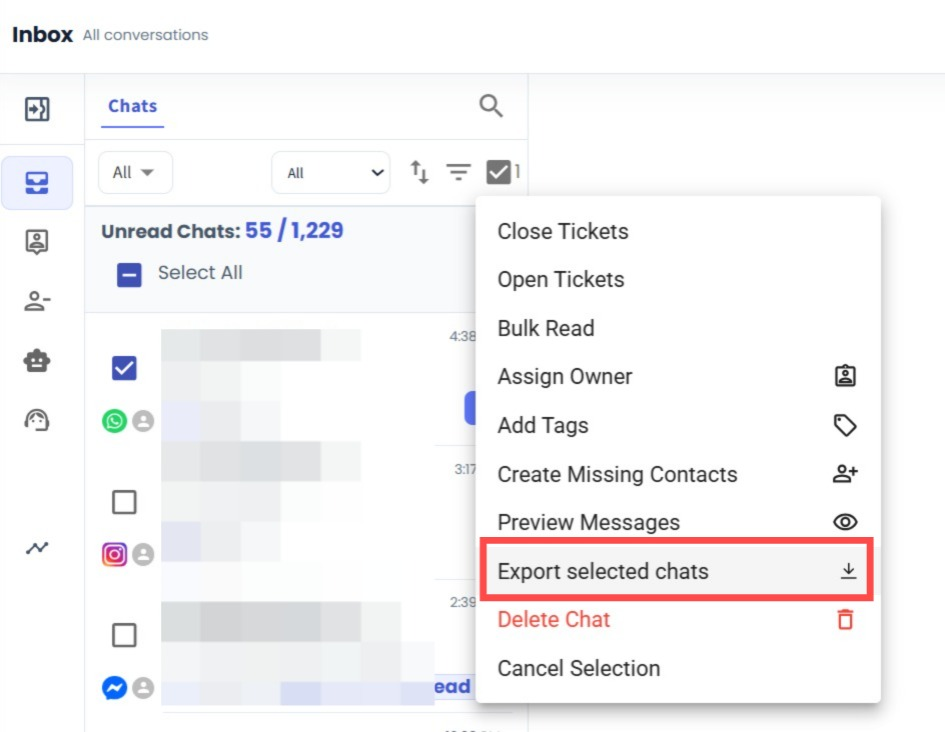
Export Specific Chats 📤
What's New:
You can now select specific chats in Inbox and export only the selected conversations.
Previously, exporting chats would export all chats from the entire channel. Now, you can choose exactly which chats you want to export.
What it means to you:
You can save time and get the exact conversations you need without exporting the entire channel's chat history.
How you can go about it:
Go to the Inbox module.
Click the checkbox to select the chats you want to export.
After selecting the chats, click the checkbox at the top right to open the available actions.
Click Export selected chats.