Archive and View Chats Easily in Inbox 🗂️
What's New:
You can now archive chats in the Inbox to keep your workspace clean and organized. 📥
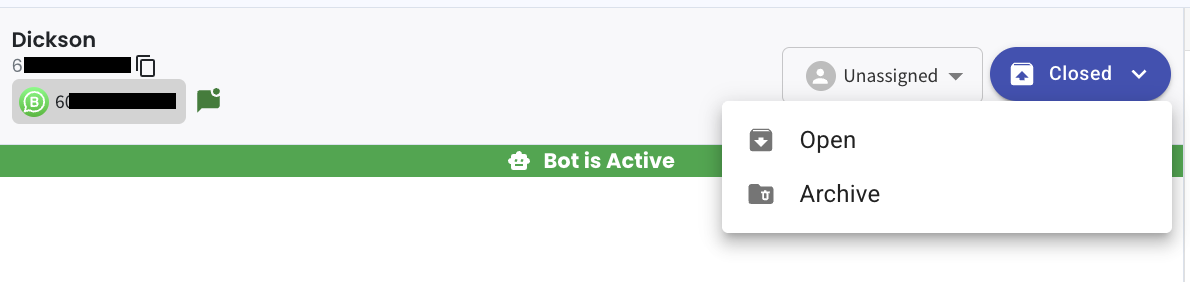
When you open a ticket and click on the dropdown arrow, you will see the option to archive the chat. This allows you to move completed or inactive conversations out of your main view without deleting them.
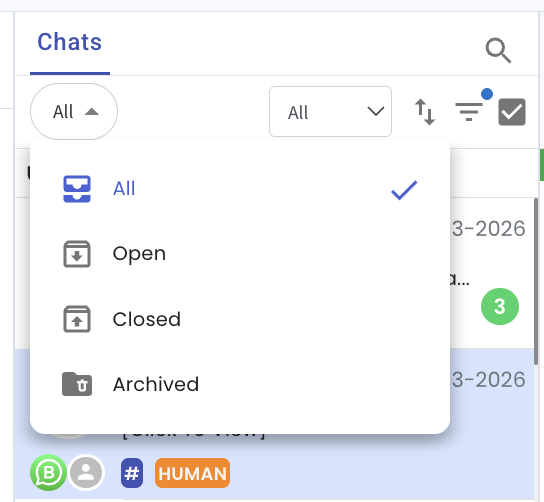
To view archived chats, simply click on the All dropdown on the left and select Archived. 🔎
This will show you all the chats that have been archived so you can review them anytime.
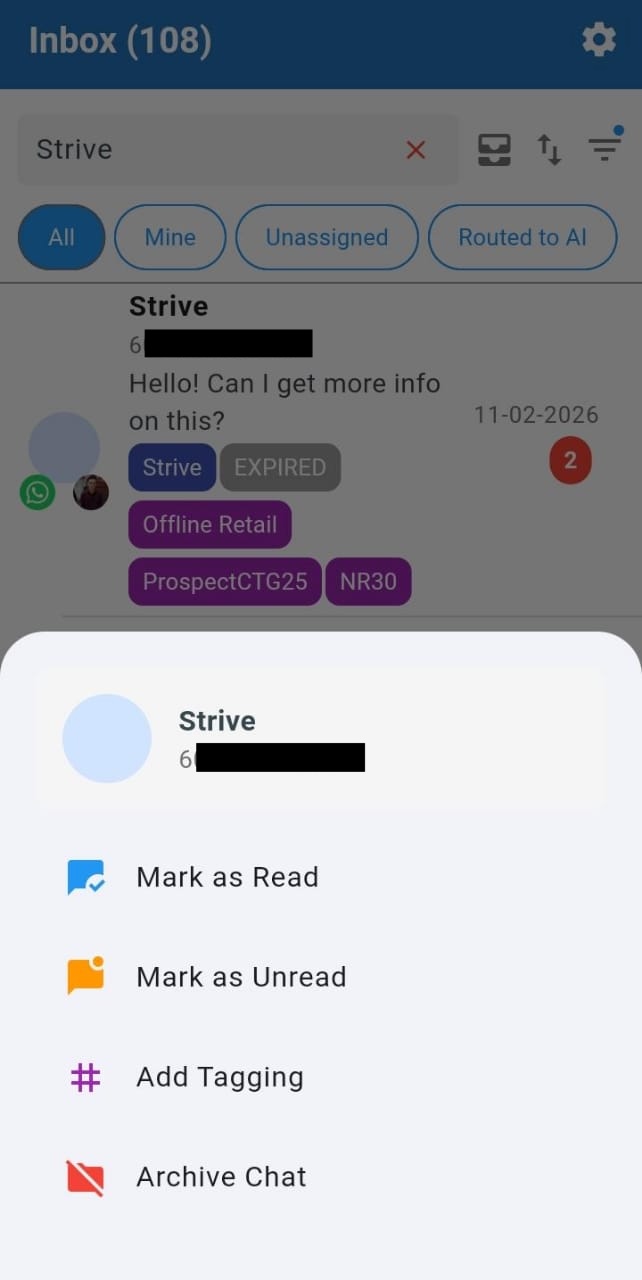
In Strive Go, you can archive a chat by pressing and holding the ticket, then selecting Archive from the options. 📱
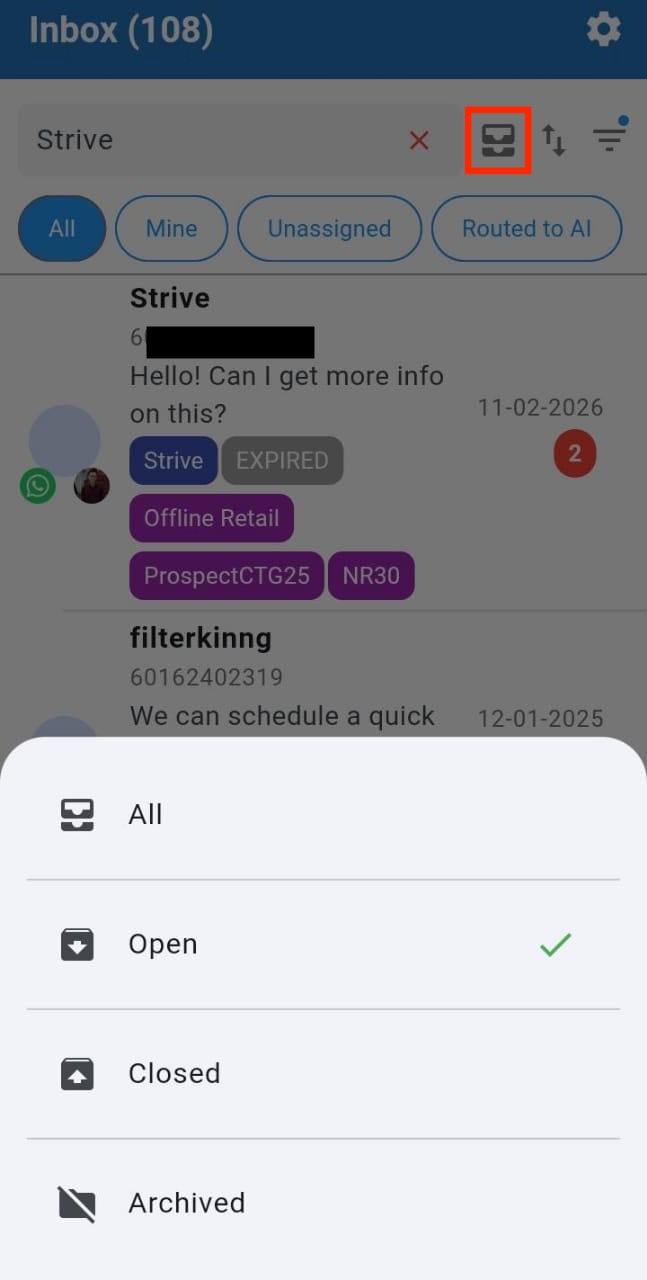
To filter archived chats, tap the highlighted inbox icon and select Archived.
This helps you keep your Inbox focused on active conversations while still keeping past chats accessible when needed.