How to Refresh Facebook and Instagram Permissions
To renew Strive's access to Facebook Pages and Instagram accounts that are already connected, open Inbox, click Settings at the top right (not the Refresh button beside it), scroll to Refresh Permissions in Inbox Settings, and click REFRESH PERMISSIONS. After you click REFRESH PERMISSIONS, a pop-up appears asking you to log in and continue the steps (Facebook or Meta login). The app describes this as reconnecting Meta to renew access tokens for pages and linked Instagram accounts already connected to Strive. It will not add channels or change channel settings. To connect a page or account for the first time, or to select a page that was connected before, use Inbox > Chat Channels instead.
You can renew Strive's access to Facebook Pages and Instagram accounts that are already connected to your organisation from Inbox Settings. On the screen, Refresh Permissions is described as reconnecting Meta to renew access tokens for those pages and accounts. It will not add channels or change channel settings.
This is not the same as connecting a page or account for the first time, or selecting a page that was connected before. Those steps are in Inbox > Chat Channels. See Connect Your Messenger/IG to Strive and How to Reconnect IG/Messenger In Strive.
How to refresh permissions
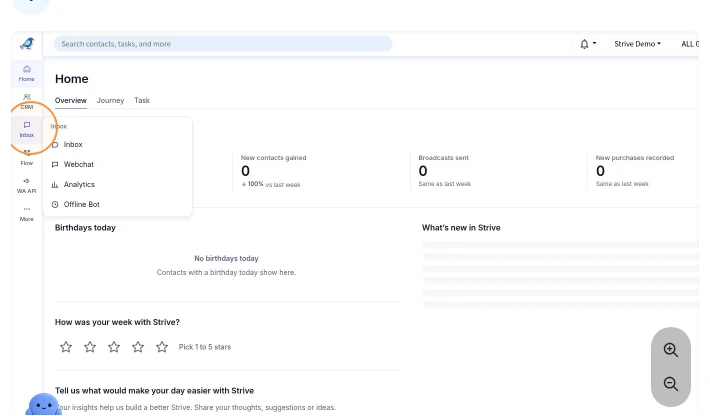
Click Inbox in the left sidebar.
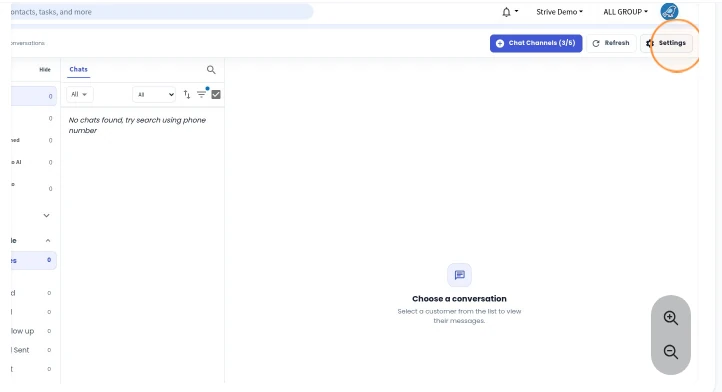
Click Settings at the top right of the Inbox. This is the Settings button, not the Refresh button next to it.
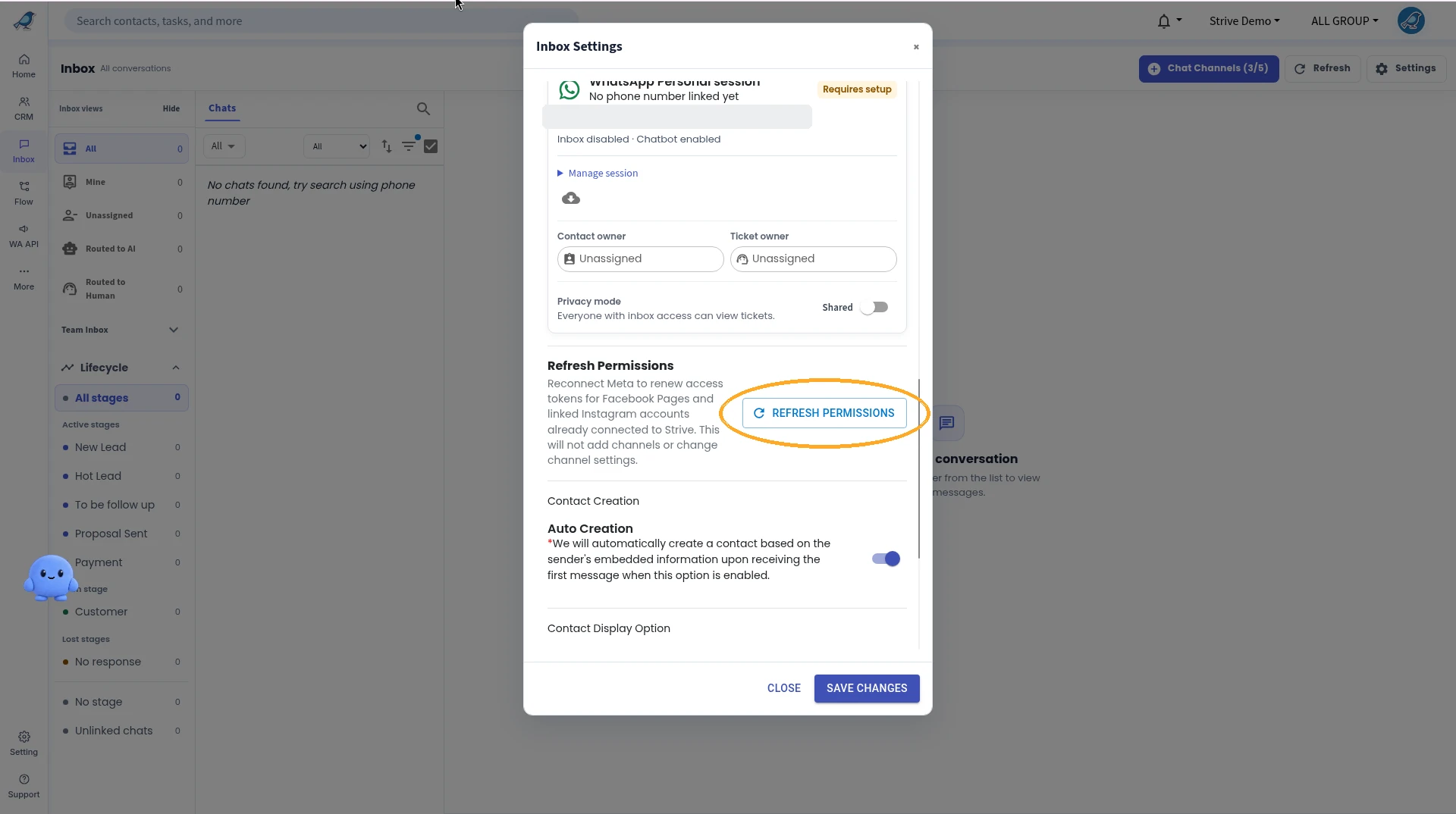
In the Inbox Settings window, scroll down to Refresh Permissions and click REFRESH PERMISSIONS.
After you click REFRESH PERMISSIONS, a pop-up appears asking you to log in and continue the steps (Facebook or Meta login).
The app describes this action as reconnecting Meta to renew access tokens for Facebook Pages and linked Instagram accounts already connected to Strive. It will not add channels or change channel settings.