Understanding WFR Delay vs Smart Delay vs Node Delay (Flowbuilder)
When building a flow, you may notice different types of delay settings. These can be confusing because they serve different purposes.
This explains the difference between:
WFR Delay (Wait For Reply Delay)
Node Delay (Delay Timer)
Smart Delay
1. WFR Delay (Wait For Reply Delay)
Where to Find It
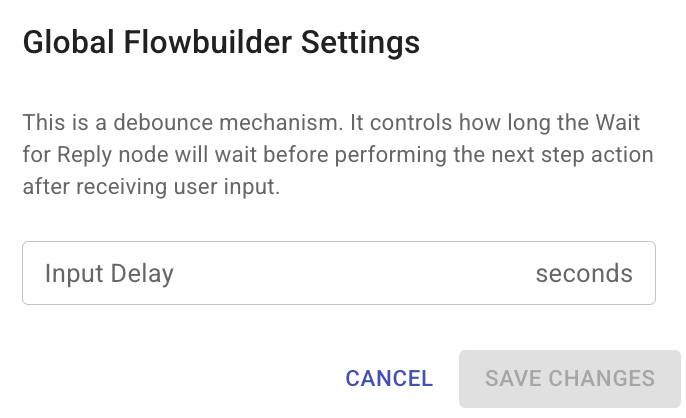
Universal Delay → Top settings (applies globally)
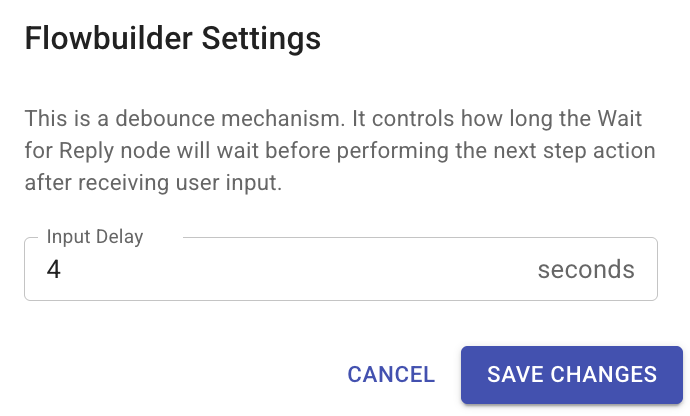
Individual Delay → Gear icon in Action column

Universal Delay:
Individual Delay:
What It Does
WFR Delay controls how long the system waits and groups messages when a user replies.
👉 It is mainly used for AI handling, not for delaying messages.
How It Works
Let’s say you set 3 seconds.
During a Wait For Reply step, a user sends:
Message 1: Hello
Message 2: How
Message 3: Are
Message 4: You
If all messages are sent within 3 seconds, they will be:
👉 Combined into one input
👉 Then sent together to the next step (e.g. AI)
Why This Is Important
Different users behave differently:
Some type slowly
Some send multiple short messages
Some send everything in one message
Without WFR Delay:
👉 AI may respond to incomplete messages
With WFR Delay:
👉 AI receives a complete message context
Key Point
This is NOT a delay for sending messages
It is a message grouping mechanism
2. Node Delay (Delay Timer)
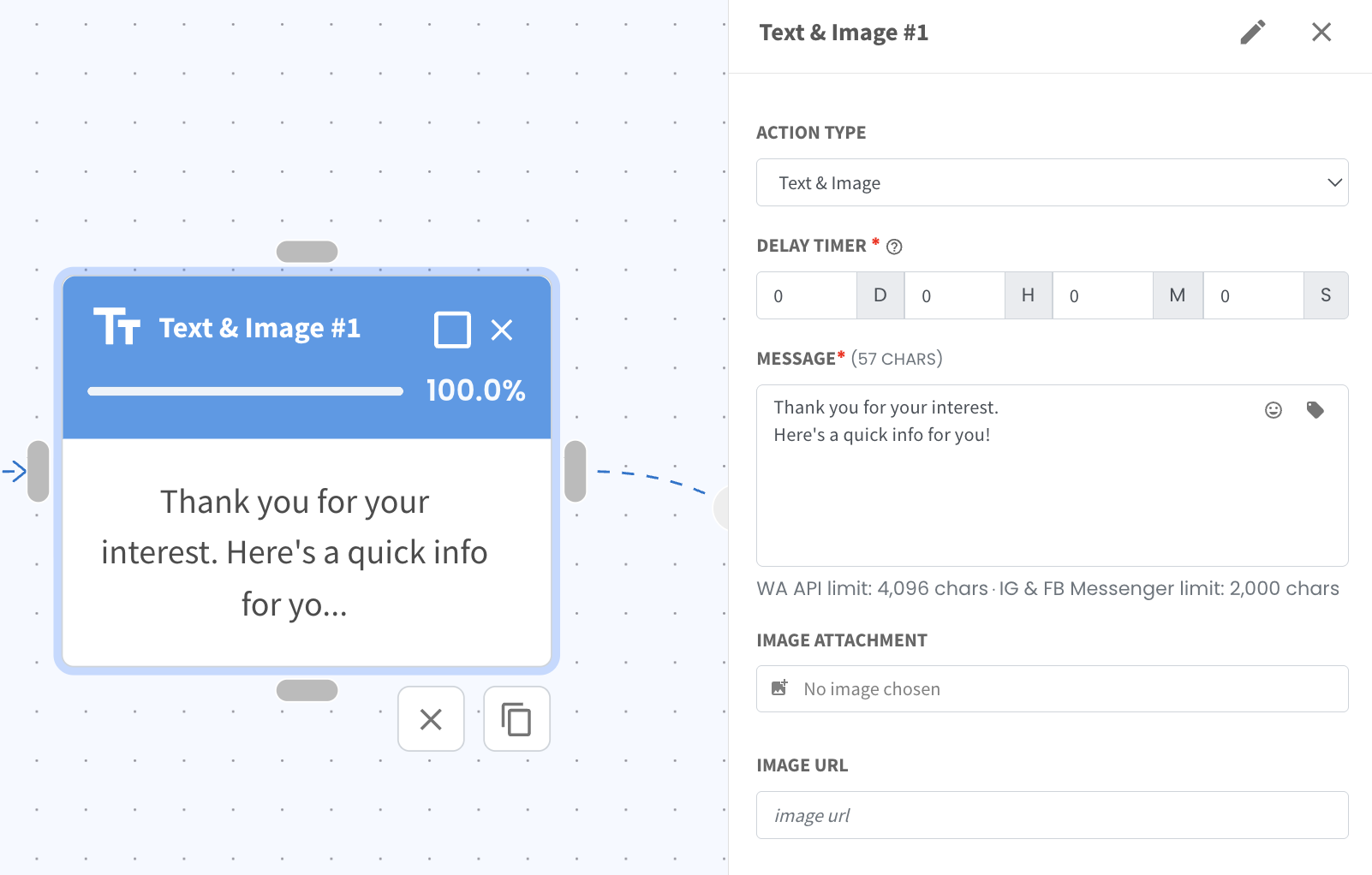
Where to Find It
Below the Action Type
What It Does
This delay controls when the current action will be executed
👉 It pauses the flow before this step runs, not after
Example
If you set a delay of 10 seconds on a message node:
👉 The system will wait 10 seconds first
👉 Then send the message
When to Use
Short delays (seconds or minutes)
Example:
Wait 5 seconds before sending next message
Wait 1 minute before follow up
Key Point
Best for simple and short delays
Not suitable for long durations like hours or days
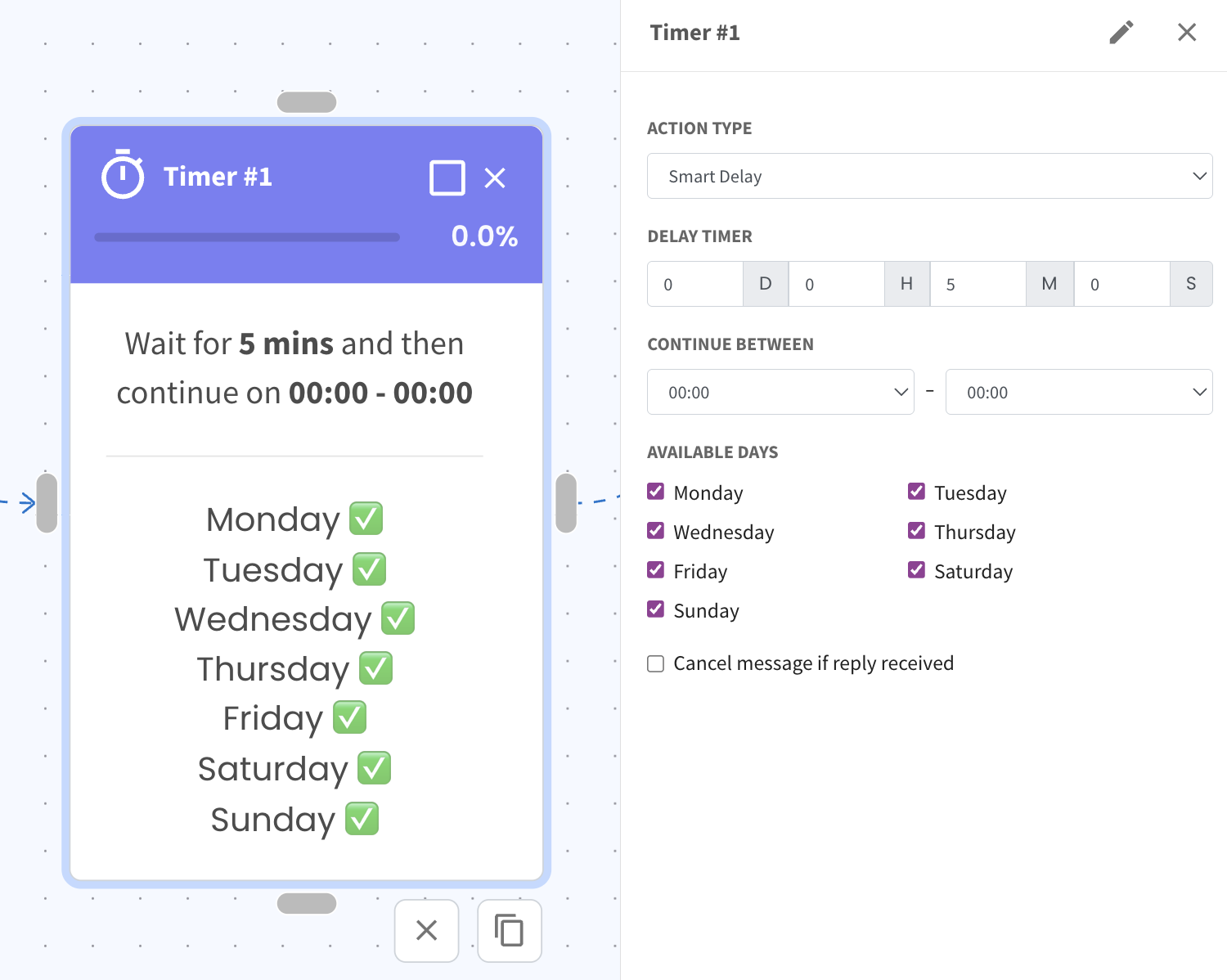
3. Smart Delay (Advanced Delay)
What It Does
Smart Delay is a more advanced and flexible delay system
When to Use
Longer delays (hours or days)
More complex timing logic
Example
Send message tomorrow at 10am
Wait 1 day before next follow up
Delay based on specific timing rules
Simple Way to Remember
WFR Delay → Combine messages before processing
Node Delay → Pause before current message
Smart Delay → Schedule messages smartly over time